


FlashDown: 4K Video Downloader
4.53.00 Reviews
App Specs
- Version
- 1.0.3
- Updated On
- License
- Free
- Downloads
- 1,000,000+
- Developer
- Vitality AI
- Categories
- Video Players & Editors
- Platform
- Android
Screenshots
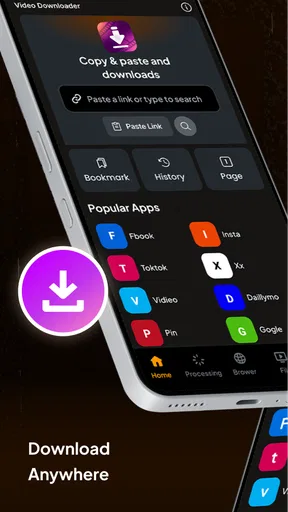
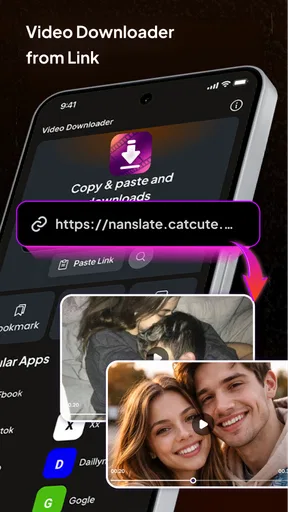
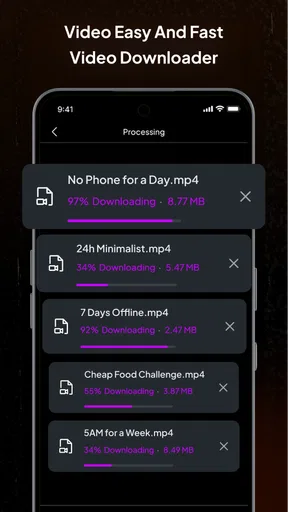
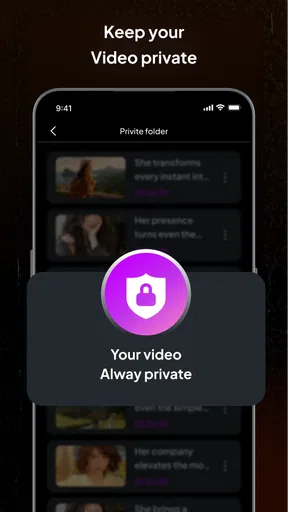
 Analysis by AppCompare
When I need a video available offline, I’m more interested in a dependable way to save and play it than in a long list of extras. FlashDown: 4K Video Downloader is a video-saving and playback app from Vitality AI, and its appeal is easy to understand: it brings those two tasks together. It is free to install, though in-app purchases range from $1.99 to $29.99 per item, so I’d check what any paid option offers before spending money.
What free access does—and does not—tell you
The free price makes FlashDown easy to try without committing to a purchase. That is useful if your need is occasional, such as saving a permitted clip before a trip or keeping a tutorial handy while you work through it. The existence of in-app purchases means some purchases are available, but it does not tell me which capabilities are free or what a particular item unlocks. I would treat the app as a no-cost starting point, then consider a purchase only if its terms and benefits are clear inside the app.
That distinction matters in a category where a familiar interface can make paid extras seem like a natural next step. I would not pay just because I want a better download experience in theory. First, I’d try the workflow with a video I’m allowed to save, see whether the result plays as expected, and decide whether I have a recurring need that justifies paying. If the free experience already covers your routine, there is no reason to buy an add-on simply because one is offered.
Where the combined saver and player is useful
FlashDown’s central value is having a saver and a player in the same app. That can reduce small bits of friction: you can move from obtaining a video to checking it without immediately opening a separate playback app. For a person who saves clips for reference rather than building a carefully organized media library, that straightforward loop may be enough.
A practical use is collecting a few short, permitted instructional videos before a day when your connection may be unreliable. I’d save them while connected, open each one in the built-in player, and check that I chose the right clip before leaving. That quick review is more useful than assuming every saved file is complete or that the intended version was selected. It also helps me avoid keeping duplicates just because I forgot what I had already downloaded.
For study or creative reference, I’d use a small, deliberate queue rather than trying to save everything interesting. Naming or sorting habits in the device’s storage can make a bigger difference than the number of clips: keeping related videos together and clearing material after I no longer need it makes offline viewing easier to manage. FlashDown is most valuable when it supports a specific routine, not when it becomes an excuse to accumulate files without a plan.
How it fits beside other video apps
Many people already use a browser to watch videos and the phone’s standard gallery or a separate media player to open local files. That arrangement can work perfectly well, especially if you rarely save anything. FlashDown’s practical difference is that it puts saving and playback together, which may save a few steps when offline access is the point. It is not automatically a better choice for someone who wants a sophisticated library, detailed file management, or a player they already rely on.
Worth Reading Before You Choose

EA SPORTS FC Mobile 26 Is a Bigger Football Game, but It Takes Time

Flipboard Shows What News Apps Must Do Beyond the Feed

Switching to Android Auto Means Rethinking Your Driving Routine

Google Calendar Makes a Crowded Week Easier to Manage

Ludo King Makes the Most of the Minutes Between Plans

Baby Panda World Brings Quick Play to Modern Phones, but Its Game Library Feels Busy
It also shouldn’t be treated as a substitute for a platform’s own offline-viewing option when that option is available and fits your needs. A service’s built-in feature may be the simpler route for its own content, while a separate saver may be useful for material you are authorized to keep outside that service. Before trying to save a video, I’d consider the creator’s rights and the source’s rules; convenient access does not itself grant permission to download or redistribute someone else’s work.
The same caution applies to the promise of high resolution. A 4K label is attractive, but the outcome depends on the source video and the available version, not just the name of a downloader. I’d choose a resolution that suits both the screen I’ll use and the storage I have, rather than assuming the largest option is always the best. On a small phone display, a lower-resolution copy may be easier to store and perfectly adequate for a quick reference.
Small habits that prevent avoidable friction
Before saving a long or high-resolution video, I’d check how much free space is available and think about where I’ll watch it. Large files can crowd a device faster than expected, and a collection that seems modest one clip at a time can become inconvenient. If storage is tight, I’d save only what I need for the next offline session and remove it afterward rather than treating the phone as permanent archival storage.
I’d also test the process with one short video before queuing several. That gives me a chance to confirm that the source is supported, the chosen quality is suitable, and playback works on my device. If the first attempt does not behave as expected, adding more items to a queue only makes it harder to identify the problem. A small test is especially sensible when I’m relying on the clips for a class, a trip, or a task away from a stable connection.
Another useful habit is to think about playback before downloading. If I only need to check a step in a recipe or repair guide, a compact version may be more practical than a very large file. If the video is something I’ll inspect closely on a larger screen, higher quality may matter more. The best choice is the one that balances detail, available storage, and the actual purpose of the download.
Who should try it, and who may prefer another option
I can see FlashDown suiting people who occasionally save videos they have permission to keep, want an in-app player, and value a simple route from saving to watching. It may also appeal to someone who prepares a few clips for offline use instead of relying on a connection at the moment they need them. Its Everyone content rating makes it broadly age-appropriate as an app, though that does not change the need to use good judgment about the videos themselves.
I’d skip it if I almost never watch videos offline, if my current player already handles local files comfortably, or if I’m looking for advanced library tools rather than a saver-and-player combination. People who need an officially supported offline mode for a particular streaming service may be better served by that service’s own option. And if you expect every website or every video to be downloadable, I’d keep expectations measured: compatibility can vary, so testing a specific permitted source is more useful than assuming universal coverage.
For anyone comparing alternatives, the choice is less about finding a universal winner and more about the job. A browser is convenient for immediate streaming; a dedicated local player may be better for an established media collection; a platform’s own offline feature may be the clearest route for its catalog. FlashDown makes the most sense when its combined saving and playback workflow solves a recurring, modest need that those other options do not handle as neatly.
Getting Started with FlashDown
First things first, installing FlashDown: 4K Video Downloader is a breeze. You can easily find it on both Android and iOS. Once you’ve got it on your device, the interface is super intuitive. No need to be a tech whiz here; everything is laid out clearly, and you’re guided step-by-step through the download process.
Downloading Videos Like a Pro
So, how does it work? Simply copy the link of the video you want to download and paste it into the app. You can choose from multiple resolutions, but let’s be honest, who wouldn’t want to go for that crisp 4K option? It’s perfect for those of us who love seeing every detail in vivid quality. Plus, FlashDown supports a wide range of websites, so you’re not limited to just a few sources.
What I love most is the speed. The app uses advanced technology to ensure downloads are completed quickly without compromising on quality. This means more time enjoying your videos and less time twiddling your thumbs.
Features That Stand Out
Beyond basic downloading, there are some neat features packed into FlashDown. First up is the built-in video player. It’s handy to have because you can preview your downloads directly in the app without needing to switch to another player. This is especially useful for checking the quality or just enjoying a quick view.
Then there’s the batch download feature. If you’re like me and love to collect a series of videos, this is a lifesaver. You can queue up multiple downloads and let FlashDown do its thing while you carry on with your day.
Privacy and Security
With so many apps out there, privacy is always a concern. FlashDown respects your data. It doesn’t require you to sign up for an account, and there’s no sneaky data collection happening in the background. You’re in control of what gets downloaded and stored on your device.
Why You Need to Try It
In a world where digital content reigns supreme, having a tool like FlashDown is essential. Whether you’re downloading for offline viewing on a plane or saving tutorials for future reference, it’s incredibly versatile. Plus, if you’re a content creator, having high-quality resources at your fingertips is invaluable.
And here’s a little tip: make sure your device has enough storage. Those 4K videos are stunning, but they can also be quite hefty in size!
Final Thoughts
Overall, I’m genuinely impressed with FlashDown: 4K Video Downloader. It’s user-friendly, fast, and supports a wide range of video platforms. Whether you’re a casual downloader or someone who thrives on collecting online videos, this app is well worth trying out. So next time you come across that must-have video, you know exactly what to do. Happy downloading!
A few practical checks before you rely on it
FlashDown is a video player and editor app, developed by Vitality AI, and its current version is 1.0.3. It has a 4.5 average from over 500 ratings, with more than a million installs. Those figures suggest that plenty of people have tried it, but I’d still judge it by whether it handles the particular source and routine I care about. A popular app is not a guarantee that every video link will work or that every download will suit a specific device.
One reasonable question is whether a particular video can be saved. I’d answer that by testing the exact source with a short clip I’m allowed to download, rather than assuming broad website support means every page is compatible. If the video is embedded, restricted, or subject to a platform’s own rules, the result may differ from a straightforward public clip. That quick test helps set expectations before I depend on the app for something important.
Another question is whether I need to pay to get value from it. Since the app is free to install and offers in-app purchases priced from $1.99 to $29.99 per item, I’d first use the free access and inspect the specific purchase details in context. I would not assume a paid item removes limits or adds a particular feature without seeing that stated clearly. For occasional saving, free access may be enough; for repeated use, a purchase is worth considering only when its benefit is explicit and relevant to me.
Compatibility is also worth checking before making FlashDown part of a regular routine. The minimum operating-system requirement is 8.1, so I’d make sure my device meets that threshold before trying to install it. The app was released on May 2, 2026, and its Everyone rating indicates an age classification for the app, not a promise about the suitability of every video a person might choose to access.
My value verdict
For me, FlashDown’s value comes from convenience rather than a claim that it can replace every video tool. The built-in player, saving workflow, and batch option can be useful together when I regularly prepare permitted clips for offline viewing. The trade-off is that storage, source compatibility, resolution choices, and the exact terms of any in-app purchase still require a little attention from the user.
I’d try it if I often need a few videos ready before travel, study, or a stretch without reliable internet, and I’d keep my downloads purposeful. I’d pass if I already have a smoother official offline option or rarely save videos at all. That makes the free starting point appealing, while the paid items are best treated as optional decisions—not a necessary step—until you know what they provide and whether you’ll use it.
Pros
- Downloads videos in 4K resolution.
- Supports multiple video platforms.
- User-friendly interface for ease of use.
- Fast download speeds with stable connection.
- Allows batch downloading of videos.
Cons
- Contains ads that can be intrusive.
- Limited features in the free version.
- No integrated video player available.
- Requires frequent updates for bug fixes.
- May not support some lesser-known sites.
FAQs for FlashDown: 4K Video Downloader
What is FlashDown: 4K Video Downloader?
FlashDown: 4K Video Downloader is an app designed to help users download high-quality videos from various online platforms directly to their devices. It supports 4K resolution, ensuring the best viewing experience. With its user-friendly interface, it caters to both tech-savvy users and those new to video downloading.
Is FlashDown: 4K Video Downloader available for both Android and iOS?
Yes, FlashDown is available for both Android and iOS devices. It can be downloaded from the respective app stores, ensuring compatibility with most smartphones and tablets. This cross-platform availability makes it a convenient choice for users who switch between devices.
Does FlashDown support downloading from all video platforms?
FlashDown supports a wide range of popular video platforms, but not all. Users should check the app’s documentation or website to verify if their preferred platform is supported. The app regularly updates its list of supported platforms to include more sites based on user demand.
Are there any in-app purchases or subscriptions required?
FlashDown offers a free version with basic features, but it also includes in-app purchases for premium features, such as faster download speeds and ad-free usage. Users can choose to subscribe to these services for enhanced performance and a more streamlined experience.
How safe is FlashDown for downloading videos?
FlashDown prioritizes user safety by implementing secure download protocols and regularly updating the app to address potential vulnerabilities. However, users should exercise caution and download videos only from reputable sources to avoid any security risks associated with downloading content from unknown sites.


